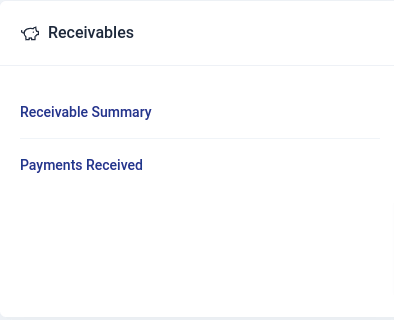
Receivables Reports
Go to Reports module
Generating Report
To generate a customized report in the receivable section:
- Select the report type to go to the report view page.
- Choose the branch for the report.
- Set the time period using the date picker and click Select.
- Click Run Report to generate it.
- Use the print feature to print the report.
The type of reports that can be generated in receivables include:
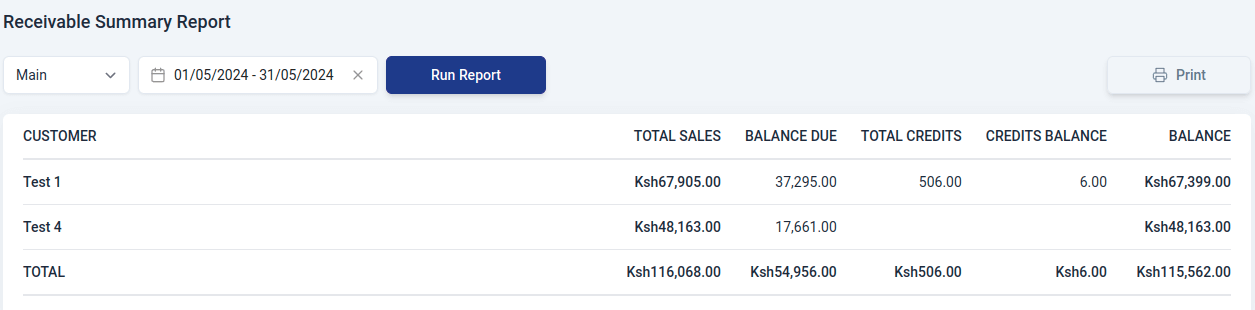
Receivable Summary Report
This is a report that provides a concise overview of outstanding amounts owed to a business. It includes:
- Customer
Name of the customer.
- Total Sales
The sum of all invoices generated for the customer.
- Balance Due
The outstanding amount that is yet to be paid by customers or clients.
- Total credits
The overall sum of credit transactions applied to an account.
- Credits Balance
The remaining credit amount available for a customer after considering all the credit transactions.
- Balance
The actual amount that the customer owes considering both charges and credits.
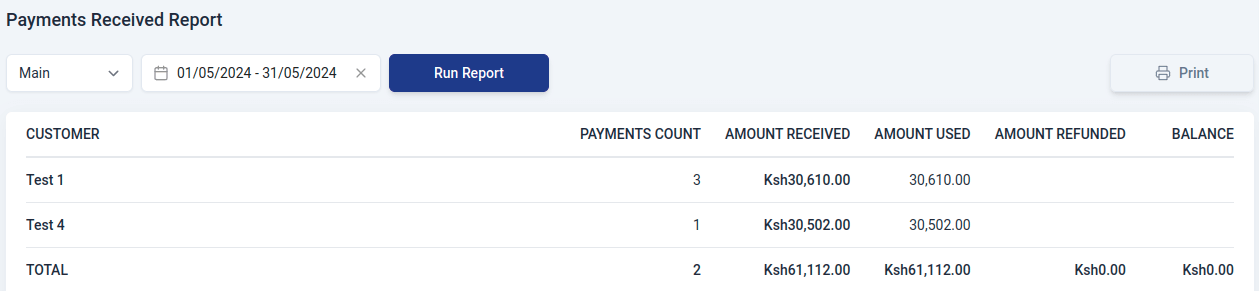
Payments Received Report
A Payments Received Report is a summary of detailed information about the payments received by an organization in relation to its inventory transactions. It contains:
- Customer
Name of the customer.
- Payments Count
The total amount of money received for a specific set of transactions or over a given time period.
- Amount received
The sum of money collected from customers.
- Amount used
The amount of money that has been applied or used out of total payments received.
- Amount refunded
The total sum of money refunded to customers during the specified period, due to returned goods, overpayments, or other reasons.
- Balance
The difference between the total amount received and the sum of amounts used and refunded.